 CubeXpert
Rubik’s Cube solver & timer
Solve your Rubik’s Cube, one move at a time
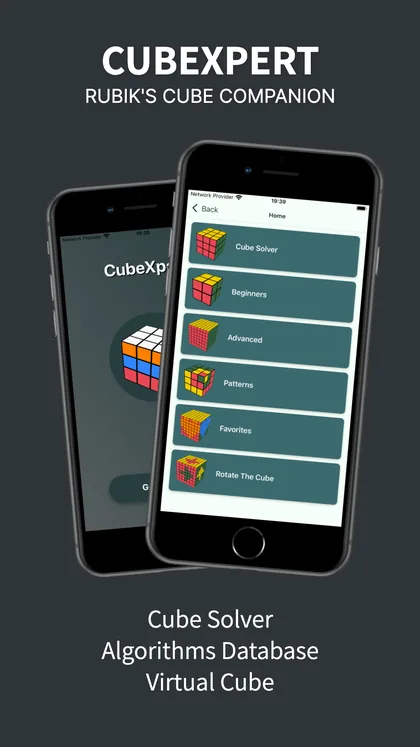
Paint your scrambled 3×3 or 2×2 into CubeXpert and follow a step-by-step solution on an animated 3D cube. Then go further with a speedcubing timer, a cross trainer and an algorithm library for F2L, OLL, PLL and ZBLL.


Free download for iPhone and iPad (iOS 15.1+) and Android. Optional in-app purchases.
- 4.7★ on the App Store
- 4.6★ on Google Play
- 500K+ Google Play downloads
Everything you need to solve the cube — and get faster
One app for first-time solvers and speedcubers: a solver when you’re stuck, lessons when you want to learn, and the tools to drop your times.
3×3 and 2×2 cube solver
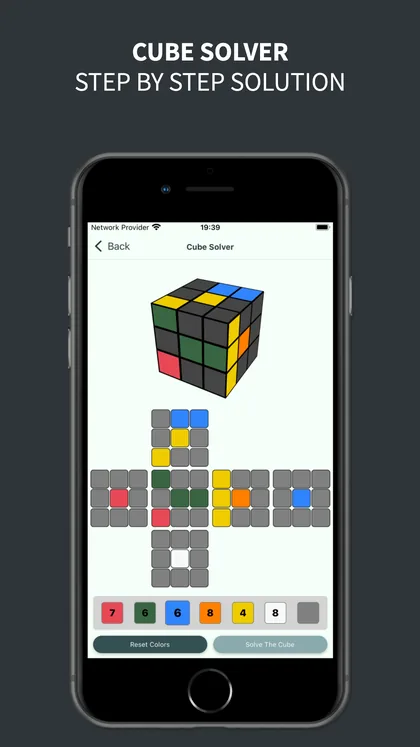
Tap in the colors of each face and get a step-by-step solution for your exact scramble, shown on an animated 3D cube.
Beginner lessons
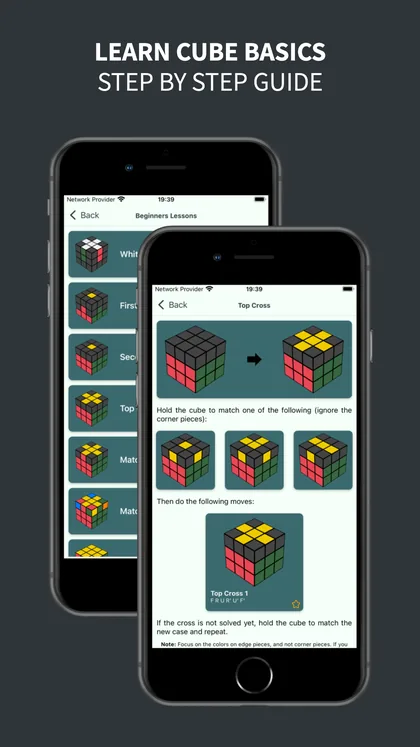
A seven-step layer-by-layer method — white cross to last-layer corners — with pictures and the moves for every case.
600+ algorithm cases
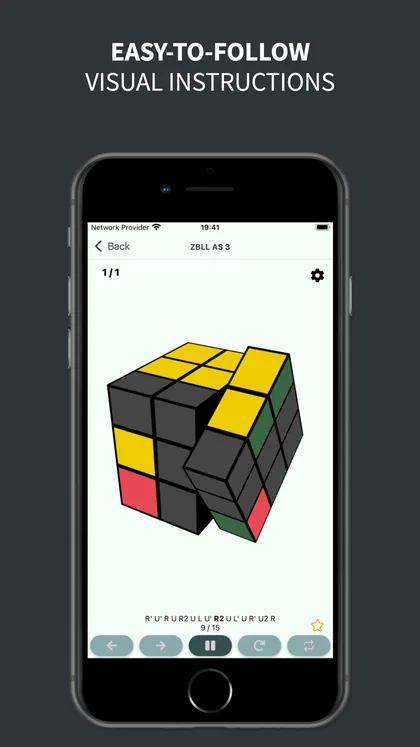
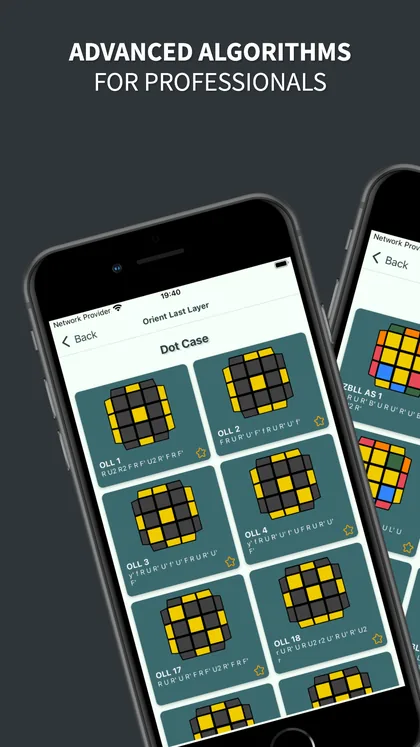
Beginner, F2L, OLL, PLL and ZBLL cases with 3D animations. Save favourites so the cases you’re drilling are one tap away.
Speedcubing timer
Time your solves with a built-in cube timer and track how your times improve.
Cross trainer
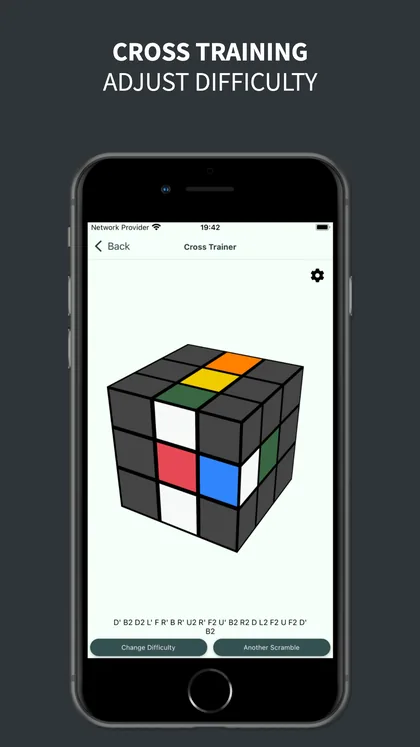
Practise the cross — the first step of CFOP — on generated scrambles with adjustable difficulty.
Virtual cubes & patterns
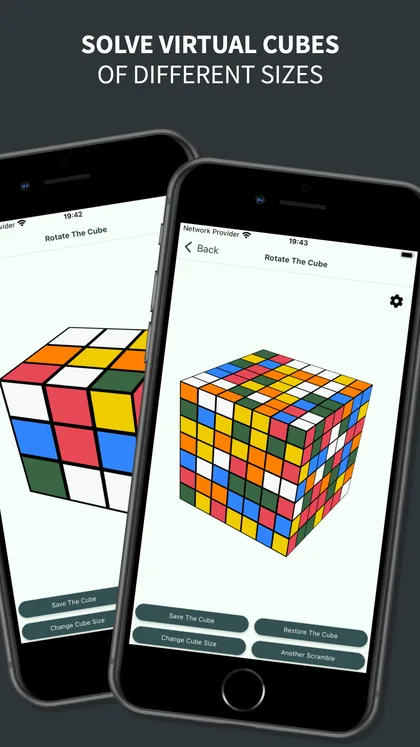
Turn virtual cubes from 2×2 up to 7×7, and make classic patterns like the checkerboard and cube-in-a-cube.
From scrambled to solved in three steps
No camera, no guessing — you stay in control of every move.
Enter your colors
Pick a color and tap the stickers on the flat cube net until it matches the cube in your hand. The 3D preview updates as you go.
Tap Solve
CubeXpert works out a solution for your exact scramble. If a sticker was entered wrong and the cube can’t exist, it asks you to check your colors.
Follow each move
Step forward and back through the solution on the animated cube, at your own pace, until every face is one color.
Take a look inside
Screenshots from the App Store listing.
Built for every stage of cubing
Never solved one?
Use the solver to get unstuck today, and the beginner lessons to learn the method for good.
Solving, but slowly?
Move on to CFOP: drill the cross, learn intuitive F2L, then the 2-look OLL and PLL sets — all animated so you can see each move.
Chasing PBs?
Full OLL and PLL, plus ZBLL for the last layer, with a timer to measure whether the new algorithms are paying off.
Free Rubik’s Cube guides
Clear, step-by-step tutorials you can follow with any cube — no app required.
How to Solve a Rubik’s Cube (Beginner Method)
The 7-step layer-by-layer method. Learn six short move sequences and solve a scrambled 3×3 from start to finish.
Read guide → BeginnerHow to Solve a 2×2 Rubik’s Cube
Four steps and three algorithms. The easiest way to learn a full cube solve — and a great warm-up for the 3×3.
Read guide → BasicsRubik’s Cube Notation Explained
What R, U', F2, r, M and y mean — the letters every tutorial and algorithm uses, explained with examples.
Read guide → CFOPF2L for Beginners: Intuitive F2L and the Basic Algorithms
Pair a corner with its edge and insert them together. The 4 basic inserts, the white-on-top cases and how to practise.
Read guide → CFOP2-Look OLL: Orient the Last Layer in Two Steps
Make the top face one color with 9 algorithms — the edges first, then the corners — and clear rules for recognizing each case.
Read guide → CFOP2-Look PLL: Permute the Last Layer
Six algorithms to finish every solve: place the corners with T or Y, then the edges with Ua, Ub, H or Z.
Read guide →Frequently asked questions
How does the CubeXpert Rubik’s Cube solver work?
Open Cube Solver, choose 3×3 or 2×2, and tap each sticker on the flat cube net to match your real cube. Tap Solve and CubeXpert shows a solution for your exact scramble, move by move, on an animated 3D cube.
Is CubeXpert free?
CubeXpert is free to download on the App Store and Google Play. Some features are offered through optional in-app purchases, and the free version may show ads.
Can it solve a 2×2 Pocket Cube?
Yes. The solver supports both the 3×3 and the 2×2. Choose the cube size, enter the colors, and follow the steps.
Does CubeXpert scan my cube with the camera?
No. You enter the colors by tapping stickers on a flat cube net. It takes about a minute and avoids the color mistakes cameras often make under bad lighting.
What does “the cube is unsolvable” mean?
Usually one or more stickers were entered with the wrong color. Check each face against your cube, paying attention to which color sits on each center. If the colors are right, a piece may have been twisted or reassembled incorrectly.
Which algorithms are included?
The algorithm library has over 600 cases — beginner, F2L, OLL, PLL and ZBLL — each with an animated 3D cube. The beginner lessons teach the layer-by-layer method.
Is there a speedcubing timer?
Yes. CubeXpert includes a cube timer so you can time your solves and track your progress as you learn new methods and algorithms.
Which devices are supported?
CubeXpert runs on iPhone and iPad with iOS 15.1 or later, and on Android phones and tablets through Google Play.

Your cube, solved — then mastered
Download CubeXpert free on the App Store or Google Play.